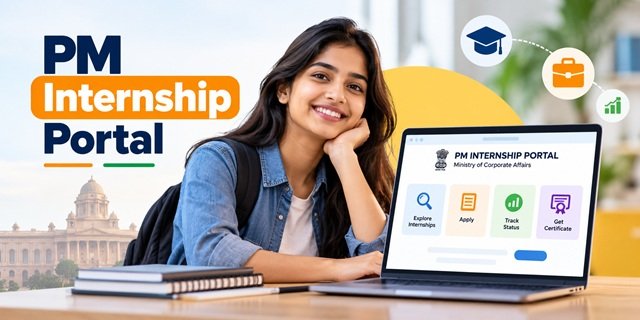
The PM Internship Portal at pminternship.mca.gov.in is the official online platform managed by the Ministry of Corporate Affairs, Government of India. Candidates can use the portal to register, complete e-KYC, apply for internships offered by participating companies, accept offers and track their payments. Selected interns receive Rs. 9,000 per month and a one-time grant of Rs. 6,000. Registration is free and available through the official website and mobile app.
PM Internship Portal Highlights | |
|---|---|
| Portal Name | PM Internship Scheme Portal |
| Official Website | pminternship.mca.gov.in |
| Managed By | Ministry of Corporate Affairs, Government of India |
| Portal Users | Candidates and participating companies |
| Age Range (Current Round) | 18 to 25 years |
| Monthly Assistance | Rs. 9,000 |
| One-Time Grant | Rs. 6,000, paid in two instalments of Rs. 3,000 each |
| Internship Duration | 6 or 9 months in the current round |
| Verification Method | Aadhaar-based e-KYC |
| Application Fee | Nil (Free registration) |
| Mobile App | PM Internship App for Android |
| Helpline Number | 1800116090 |
Latest Update
- 14 August 2026: The Ministry of Corporate Affairs organised the PMIS Industry Awards in New Delhi to recognise companies participating in the scheme.
- July 2026: By 16 July 2026, the MY Bharat platform had referred 98,632 young people to the PM Internship Portal for registration, according to PIB.
- 22 April 2026: The eligible age range was expanded to 18-25 years. Final-year undergraduate and postgraduate students also became eligible to apply with a No Objection Certificate (NOC) from their institution, as stated in the MCA announcement.
- March 2026: The monthly assistance amount increased from Rs. 5,000 to Rs. 9,000.
- Ongoing: The third round of the pilot is operating on a rolling basis, allowing participating companies to add new internship opportunities to the portal.
Introduction of PM Internship Portal: A Brief Insight
Many young people complete school or college but struggle to find their first opportunity to gain practical work experience. The Prime Minister Internship Scheme connects eligible candidates with participating companies, while the PM Internship Portal provides the online platform for managing the process.
The Ministry of Corporate Affairs launched the portal with the scheme’s pilot on 3 October 2024, as announced by the Ministry of Corporate Affairs and PIB. The portal uses candidate profiles, qualifications and location details to help match applicants with suitable internship opportunities. By the end of 2025, candidates had created around 7.3 lakh profiles, and companies had made approximately 1.65 lakh offers, according to the Government’s year-end review.
This guide focuses on using the portal. It explains how to register, log in, complete your profile, find internships, submit applications, respond to offers, check payment details, download your certificate and resolve common issues. For complete information about the scheme, visit our PM Internship Scheme guide.
What You Can Do on the PM Internship Portal
| Task | Portal Section |
|---|---|
| Check whether you meet the eligibility conditions | Check Eligibility section on the home page |
| Register, create an account and complete e-KYC | Login / Register |
| Complete your profile and generate your CV automatically | Candidate Dashboard |
| Find internships by sector, State, district or distance | Explore Internships |
| Submit applications, track their status and accept or decline offers | Candidate Dashboard |
| Check joining status and payments, and download your certificate | Candidate Dashboard after joining |
| Ask questions or report a technical problem | PMIS Buddy chatbot, FAQs and Raise a Ticket |
| View the latest counts of internships, sectors and districts | Live dashboard on the home page |
In October 2026, the portal’s live dashboard showed approximately 2,99,570 internship opportunities across 34 sectors, 36 States and Union Territories and 742 districts. These figures can change as companies add new opportunities or close existing listings.
Who Can Register on the Portal
You Can Register If You
- Are an Indian citizen aged between 18 and 25 years
- Have passed Class 10 or Class 12, completed ITI or a diploma, or hold a degree accepted under the current scheme rules
- Are not employed in a full-time job or enrolled in regular full-time education, except as permitted for online or distance-learning students
- Are a final-year undergraduate or postgraduate student with a No Objection Certificate (NOC) from your institution
- Meet the prescribed family income limit and all other conditions in the current guidelines
You Cannot Register If You
- Graduated from specified institutions such as IITs, IIMs, IISc, IISERs, NLUs, NIDs or IIITs
- Hold qualifications such as CA, CMA, CS, MBBS, BDS, MBA or PhD
- Are currently enrolled in another Central or State Government skill development, apprenticeship or internship programme
- Have completed training under NATS or NAPS
- Fall under the Government employment or family income restrictions specified in the scheme guidelines
Before registering, select Check Eligibility on the portal’s home page to review your eligibility. Also read the latest PMIS guidelines to understand the exact conditions applicable to your application.
Details and Documents to Keep Ready
Before registering on the PM Internship Portal, keep the following details and documents ready. This will make it easier to complete your profile without stopping midway.
- Aadhaar number and linked mobile number: Keep your Aadhaar details and the mobile number linked to Aadhaar ready for OTP verification and e-KYC.
- Education certificates: Keep the marksheet or certificate for your highest qualification, such as Class 10, Class 12, ITI, diploma or degree.
- Bank account details: Keep an active bank account in your own name. The account must be linked to Aadhaar as required for payments.
- Nominee details: Keep the details of the nominee requested by the portal ready.
- Photograph: Keep a clear photograph available in case the portal asks you to upload one.
- College NOC: If you are a final-year student, keep the No Objection Certificate (NOC) issued by your college or institution ready.
How to Register on PM Internship Portal
You can register through the official website or the mobile app. Follow the instructions for the option you want to use.
Register on the Website
Step 1: Open the official PM Internship Portal. On the home page, click Login / Register to begin.
Step 2: Choose the candidate registration option. Enter your mobile number in the box provided and follow the instructions displayed on the screen.
Step 3: Enter the OTP sent to your mobile number. After verifying the OTP, set a password if the portal asks you to do so.
Step 4: Complete Aadhaar e-KYC. Give the required consent and verify your identity using the OTP or verification method shown on the portal.
Step 5: Fill in your personal information, including your name, address and educational qualifications. Enter the details carefully so they match your official documents.
Step 6: Enter your bank account and nominee details. Upload any documents requested by the portal, making sure they are clear and readable.
Step 7: Read the self-declaration carefully. If all the information is correct, accept the declaration and submit your profile.
Step 8: Open the CV generated automatically from your profile. Check your name, education and other details. Correct any mistakes in your profile before applying for internships.
Register on the Mobile App
Step 1: Install the official PM Internship mobile app for Android from the Google Play Store. The government launched the app on 17 March 2025.
Step 2: Open the app and choose the registration option. Enter your mobile number and verify it using the OTP you receive.
Step 3: Complete Aadhaar verification by following the instructions in the app. If the app asks you to complete face authentication, follow the on-screen steps to finish the process.
Step 4: Fill in your profile details and check that the information is correct. Once your profile is ready, use the app to explore available internships and apply for suitable opportunities.
How to Login and Use Your Dashboard
After registration, you can log in to your account whenever you want to manage your internship applications. Follow these steps to open your candidate dashboard.
Step 1: Visit the official PM Internship Portal and click Login.
Step 2: Enter your registered mobile number or username, along with your password, in the required fields.
Step 3: If the portal asks for OTP verification, enter the OTP you receive and complete the login process.
Step 4: Once you log in, your candidate dashboard will open. From here, you can update your profile, view your CV, check your applications, respond to internship offers and track your joining and payment status.
Forgot your password? Click the password reset option on the login page and follow the instructions. Keep your registered mobile number available because the portal may use it to verify your identity.
How to Search and Apply for Internships
After completing your profile, you can look for internship opportunities listed by participating companies. Read each listing carefully before applying so you can choose an internship that matches your qualification and location preferences.
Step 1: Log in to the PM Internship Portal. Open the Explore Internships section to see the available opportunities.
Step 2: Use the available filters to narrow your search. Depending on the options shown on the portal, you can search by sector, role, State, district, qualification or distance from your location.
Step 3: Click View Details beside an internship that interests you. Read the company name, job role, location, internship duration and eligibility requirements before deciding whether to apply.
Step 4: If the internship matches your interests and qualifications, click Apply and follow the instructions displayed on the screen. Check the details before submitting your application.
Step 5: Check your dashboard for the number of applications you can submit at one time. The limit may be up to 3 active applications, so follow the limit displayed in your account.
Tip: Prefer internships that match your educational background and location preferences. Read the requirements before applying instead of sending applications without checking whether the role suits you.
How to Check Application Status and Accept an Offer
After applying for an internship, you can check the progress of your application through the candidate dashboard on the PM Internship Portal. The status helps you understand what is happening with your application and whether you need to take any action.
| Status on Dashboard | What You Should Do |
|---|---|
| Applied | Your application has been submitted. Check your dashboard regularly for updates. |
| Shortlisted | The company has shortlisted your application. Check for any messages, calls or further instructions. |
| Offer Received | Read the offer carefully and accept or decline it before the deadline shown on the portal. |
| Waitlisted | You may receive an offer if a suitable vacancy becomes available. |
| Not Selected | Look for other suitable internships and submit new applications within the permitted limit. |
Steps to Accept an Internship Offer
Step 1: Visit the PM Internship Portal and log in using your registered account details.
Step 2: Open the applications section on your candidate dashboard. Find the internship offer you have received and open its details.
Step 3: Check the company name, internship role, work location and joining date. Make sure you understand the offer before making a decision.
Step 4: If you want to join, click Accept within the deadline displayed on the portal. If you do not accept the offer in time, it may lapse.
Step 5: Join the company on the date specified in the offer. The company will then confirm your joining through the portal.
After Joining: Grant, Stipend and Insurance
After you join an internship, you can use the PM Internship Portal to check your joining and payment status. The scheme provides monthly assistance, a one-time grant and insurance coverage according to the applicable rules.
| Payment or Benefit | Amount or Coverage | Payment Details |
|---|---|---|
| Monthly Assistance | Rs. 9,000 | Rs. 8,100 from the Government through Direct Benefit Transfer (DBT) and Rs. 900 from the participating company |
| One-Time Grant | Rs. 6,000 | Rs. 3,000 after joining and Rs. 3,000 after completing three months |
| Insurance Coverage | Coverage under PMJJBY and PMSBY | As per the applicable scheme rules |
How to Link Aadhaar With Your Bank Account for Payments
To receive Government payments through DBT, your bank account must be seeded with Aadhaar in the NPCI mapper, as required under the scheme. Keep your bank details ready and complete the process before expecting your payment.
Step 1: Open the PM Internship Portal and look for the NPCI BASE link provided there. You can also contact your bank branch for help with Aadhaar seeding.
Step 2: Ask your bank to link your Aadhaar with the account for DBT payments. Complete the required consent and verification process.
Step 3: Make sure your bank account is active and held in your own name. Check that you have provided the correct account details.
Step 4: After the next payment cycle, log in to the portal and check your payment status. If the payment does not arrive, contact your bank or use the portal’s support options to seek assistance.
Completion Certificate, Leave and Dropout
After joining an internship through the PM Internship Portal, you can use the portal to manage your participation, request a dropout and access your certificate, as permitted under the scheme rules.
- Completion Certificate: After completing the internship, download the digital certificate from your candidate dashboard. The certificate is issued jointly by the Ministry of Corporate Affairs and the participating company.
- Dropout: If you cannot continue the internship, submit a dropout request through the portal. The request takes effect only after the company approves it.
- Participation Certificate: Interns who leave after completing at least half of the internship may request a participation certificate, subject to the applicable rules.
Do not leave an internship without following the prescribed portal process. Submit a dropout request and wait for the company’s approval to ensure that your departure is recorded correctly.
NOC Rule for Final-Year Students
Final-year undergraduate and postgraduate students can apply for internships only if they have a No Objection Certificate (NOC) from their educational institution. The certificate must confirm that the internship will not interfere with their studies.
Step 1: Contact your Head of Department, Dean, Principal or Training and Placement Officer to request an NOC for the internship.
Step 2: Check that the authorised person has signed and stamped the certificate.
Step 3: Log in to the PM Internship Portal and upload the NOC when the application process asks for it. Keep a copy for your records.
Common Problems and Quick Fixes
If you face a problem while registering, applying or checking your status, try the relevant solution below before contacting portal support.
| Problem | What You Should Do |
|---|---|
| OTP not received | Check your mobile network, wait briefly and request another OTP. Make sure your registered mobile number is active. |
| Aadhaar e-KYC failing | Use the mobile number linked to Aadhaar where required and enter your details exactly as they appear on your Aadhaar record. |
| Face authentication not working on the app | Move to a well-lit place, remove glasses if needed and keep your face within the frame shown on the screen. |
| Portal shows that you are not eligible | Recheck your age, qualification, family income and other eligibility conditions against the latest PMIS guidelines. |
| Unable to apply for more internships | You may have reached the permitted active application limit. Check your dashboard and follow the portal’s instructions before applying again. |
| Internship offer disappeared | The offer may have expired or lapsed. Check your dashboard for updates and explore other available internships. |
| Joining status is still pending | Contact the participating company and ask it to confirm your joining on the portal. |
| Monthly payment not received | Check your payment status and confirm that your bank account is active and correctly seeded with Aadhaar for DBT, where required. |
| Incorrect details in the generated CV | Open your candidate profile, correct the relevant information and check whether the CV reflects the updated details. |
If these steps do not solve your problem, log in to the PM Internship Portal and use the PMIS Buddy chatbot or Raise a Ticket option, if available. Save your ticket number so you can refer to it when following up.
Beware of Fake Websites and Agents
Use the official portal to register, submit applications and manage your internship account. Keep the following precautions in mind.
- Official website: Visit only pminternship.mca.gov.in to access the PM Internship Portal.
- No registration fee: Registration and applications are completely free.
- Avoid agents: No agent can guarantee your selection or charge you a fee to secure an internship.
- Protect your account: Never share your Aadhaar OTP, login OTP or portal password with anyone.
- Download the official app: Install the app only through its official Google Play Store listing.
Important Links Available
Use the following official links to access the portal, download the mobile app and read the scheme guidelines and Government announcements.
- PM Internship Portal – Official Website
- PM Internship Mobile App – Google Play Store
- PM Internship Scheme Guidelines – PDF
- Final-Year Student Eligibility Announcement – PIB
- Ministry of Corporate Affairs – Official Website
Contact Details in Case of Help Needed
If you face difficulties while registering, completing e-KYC, applying for internships or checking payments, use the following contact details provided for assistance.
- Candidate Helpline: 1800 11 6090
- Candidate Email: pminternship@mca.gov.in
- Company Support Email: pmisindustrysupport@mca.gov.in
- Ministry Address: Ministry of Corporate Affairs, Kartavya Bhawan 1, Kartavya Path, New Delhi – 110001
Freuqently Asked Questions (FAQs)
Ans. The official website is the PM Internship Portal, managed by the Ministry of Corporate Affairs, Government of India.
Ans. No. Registration and internship applications are completely free. Do not pay any agent for registration or selection.
Ans. The eligible age range for the current round is 18 to 25 years.
Ans. Yes. Final-year undergraduate and postgraduate students can apply with a No Objection Certificate (NOC) from their college or university, subject to the scheme’s eligibility rules.
Ans. Yes. Applicants must complete Aadhaar-based e-KYC to finish the registration process.
Ans. Candidates can usually maintain up to 3 active applications at a time. Check your candidate dashboard for the limit applicable to your account.
Ans. The current round operates on a rolling basis. Each internship listing has its own application deadline, so check the closing date on the official portal before applying.
Ans. Selected interns receive Rs. 9,000 per month and a one-time grant of Rs. 6,000. They also receive insurance coverage as specified under the scheme rules.
Ans. Check your payment status on the candidate dashboard and confirm that your bank account is active and seeded with Aadhaar in the NPCI mapper, as required for DBT. You can use the NPCI BASE link provided on the portal or contact your bank for assistance.
Ans. Internships in the current round generally last 6 or 9 months, depending on the opportunity listed by the participating company.
Ans. Yes. You can use the official PM Internship mobile app on the Google Play Store to access the available services.
Ans. After completing your internship, log in to the PM Internship Portal, open your candidate dashboard and download the certificate when it becomes available.
Ans. Log in to the portal and submit a dropout request. The request takes effect only after the participating company approves it.
Ans. Use the Raise a Ticket option on the portal, call the candidate helpline at 1800 11 6090 or email pminternship@mca.gov.in for assistance.

Tabassum is a government schemes researcher and writer with 5 years of experience tracking Central and State welfare scheme programmes across India. She has covered 500+ schemes spanning agriculture, women welfare, education, and housing, helping lakhs of beneficiaries understand their entitlements in simple language.