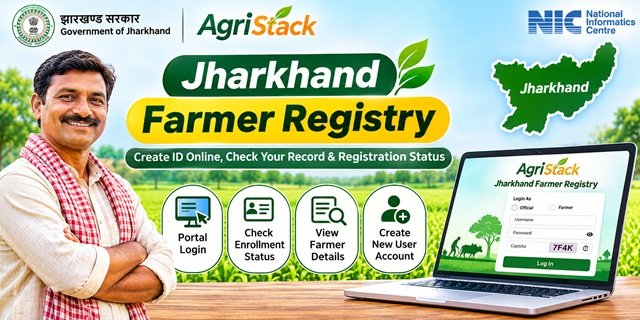
The Jharkhand Farmer Registry is a digital initiative under the Government of India’s AgriStack framework. It aims to create a verified digital identity for farmers and connect their details with agricultural land records. Farmers can use this identity, known as a Farmer ID, to access agricultural services and make it easier for government departments to identify and verify their records.
The Government of Jharkhand has launched a dedicated Jharkhand Farmer Registry portal for farmer-related services. The portal provides options to check enrollment status, view farmer details, access the login facility and create a user account. It also displays enrollment and Farmer ID approval information through its dashboard.
Farmers who completed their enrollment through a Common Service Centre (CSC) or a special camp should note one important point. They may need to create a separate portal account before using the Self-Login facility. This account creation process activates portal access; it does not mean that the farmer must register for a new Farmer ID again.
Official Jharkhand Farmer Registry Portal and Its Key Services
The Jharkhand Farmer Registry portal works under the AgriStack initiative. It provides a central online platform where farmers and authorised users can access different Farmer Registry services.
Farmers can visit the official portal to check their enrollment status, view their registered details and access the login facility. The portal also provides a dashboard that displays enrollment progress and Farmer ID approval figures.
Official Portal: Jharkhand Farmer Registry Portal
The portal provides the following important services:
- Dashboard: Displays Farmer Registry enrollment and approval-related information.
- Check Enrollment Status: Allows farmers to check their enrollment using an Aadhaar number or Farmer ID.
- Login with CSC: Provides a login option for authorised CSC users.
- View Farmer Details: Allows farmers to search for their registered details using their Aadhaar number and OTP verification.
- Farmer and Official Login: Provides separate login roles for farmers and officials.
- Create New User Account: Allows eligible users, including farmers enrolled through CSC or camp mode, to activate their portal login access.
- Forgot Password: Provides an option to recover access to an existing account.
Farmers should use the official website for these services. They should avoid entering their Aadhaar details or OTP on unofficial websites or sharing their login credentials with unknown persons.
Key Features of the Jharkhand Farmer Registry Portal
The Jharkhand Farmer Registry portal offers several features to help farmers and officials access enrollment-related information.
- Provides a dedicated online platform for the Jharkhand Farmer Registry.
- Supports enrollment status searches through an Aadhaar number or Farmer ID.
- Uses OTP verification for Aadhaar-based services.
- Provides an option to view registered farmer details.
- Offers separate login roles for farmers and officials.
- Supports account creation for eligible CSC and camp-enrolled users.
- Displays enrollment progress and Farmer ID approval information.
- Shows district-wise enrollment information through its dashboard.
- Refreshes dashboard data every five minutes, as stated on the portal.
These features help users access important Farmer Registry information without visiting an office for every basic status enquiry. However, the availability of an online status or details service does not mean that every stage of fresh enrollment or correction can be completed independently online.
Jharkhand Farmer Registry Dashboard: Details Available
The Jharkhand Farmer Registry dashboard provides an overview of enrollment progress across the state. It displays information about the number of farmers covered, approved Farmer IDs and pending enrollment records.
Farmers and other visitors can open the dashboard directly through this link:
Open Jharkhand Farmer Registry Dashboard
The dashboard displays the following information:
- PM-Kisan Beneficiaries: Shows the number of PM-Kisan beneficiaries considered in the dashboard.
- Total Enrollment Till Yesterday: Displays the total number of Farmer Registry enrollments recorded up to the previous day.
- Enrollment as a Percentage of PM-Kisan Beneficiaries: Shows enrollment progress in comparison with the PM-Kisan beneficiary figure.
- Approved Farmer IDs: Displays the number of Farmer IDs approved in the registry.
- Farmer IDs as a Percentage of PM-Kisan Beneficiaries: Shows the approved Farmer ID figure as a percentage of the PM-Kisan beneficiary count.
- Enrollment Pending Farmer ID Generation and Approval: Displays the number of records awaiting Farmer ID generation or approval.
- Today’s Enrollment Counts via Enhanced Name Matching: Shows the relevant day’s enrollment count through enhanced name matching.
- Total Today’s Enrollment: Displays the total enrollment recorded on the current day.
- Enrollment Mode: Shows enrollment information according to the available mode.
- Top Five Districts: Displays the districts with the highest enrollment figures.
- Bottom Five Districts: Displays the districts with the lowest enrollment figures.
The portal states that dashboard data gets refreshed every five minutes. Therefore, the figures can change as the system receives new enrollment and approval records. Users should check the live dashboard instead of relying on old screenshots or previously published figures.
Jharkhand Farmer ID Registration Process
The Jharkhand Farmer Registry creates a digital identity for farmers under the AgriStack framework. The system links farmer information with digitised land records to help establish a verified agricultural profile.
However, farmers should understand the difference between Farmer ID enrollment and portal account creation. The official Jharkhand portal provides a login facility and a separate account creation option. Its notice specifically explains that farmers enrolled through CSC or Camp Mode must create a portal account before using Self-Login.
The public-facing portal information does not establish a complete, open online self-registration process for every farmer. It also does not provide a verified step-by-step fresh enrollment form for all applicants. Therefore, farmers should follow the enrollment process communicated by the authorised CSC, enrollment camp or concerned agriculture office.
Farmers can follow these steps to access the official registration information:
- Open the official Jharkhand Farmer Registry portal.
- Check the available portal services and enrollment-related notices.
- If the farmer has not completed enrollment, contact an authorised CSC centre or the concerned local agriculture office to confirm the available enrollment facility.
- Follow the instructions provided by the authorised enrollment channel.
- Provide the required information and complete the verification process as instructed by the authorised operator.
- After enrollment, use the portal’s enrollment status service to check the record.
- If the farmer completed enrollment through CSC or Camp Mode, create a portal account separately to activate Self-Login access, where required.
Important: Creating a portal account does not itself generate a new Farmer ID. Farmers who have already completed enrollment through CSC or a camp should use the account creation facility only for activating their portal login access.
Can Farmers Complete Farmer Registry Registration Online in Jharkhand?
The Jharkhand Farmer Registry portal provides online facilities to check enrollment status, view farmer details and access user accounts. However, these facilities are different from fresh Farmer ID enrollment.
The portal’s notice specifically mentions farmers whose registry was created through CSC or Camp Mode. Such farmers must first create a portal account to activate their Self-Login facility.
Based on the publicly available portal information, farmers should not assume that they can complete every stage of fresh registration independently from home. They should confirm the current enrollment arrangements through an authorised CSC centre, an official enrollment camp or the concerned agriculture office.
Farmers who have already enrolled can use the online services to check their status and view their available details. This helps them avoid unnecessary repeat enrollment requests.
How to Create a Farmer Login Account After CSC or Camp Registration
Farmers who completed their Jharkhand Farmer Registry enrollment through a CSC centre or Camp Mode may need to create a separate account before logging in to the portal.
The official website displays a notice explaining this requirement. It states that CSC or Camp Mode-enrolled farmers must complete a one-time portal account registration to activate Self-Login access.
Follow these steps to create your account:
- Visit the Jharkhand Farmer Registry portal.
- Find the login section on the homepage.
- Click on the Create New User Account option.
- Follow the instructions displayed on the account creation page.
- Enter the information requested by the portal and complete the required verification.
- After completing the one-time registration, use your account credentials to access the Self-Login facility.
The portal may display additional instructions during account creation. Farmers should follow those instructions carefully and use their own valid details.
Remember: This process activates login access for farmers whose enrollment has already taken place through CSC or Camp Mode. It is not a replacement for the actual Farmer Registry enrollment process.
How to Login to the Jharkhand Farmer Registry Portal
The Jharkhand Farmer Registry portal provides a login facility for both officials and farmers. Users can select their login role and enter their account credentials.
Follow these steps to access your account:
- Open the official Jharkhand Farmer Registry website.
- Go to the login section on the homepage.
- Under the Login As option, select the appropriate role, such as Official or Farmer.
- Enter your registered username.
- Enter your password.
- Complete the captcha displayed on the screen.
- Click the Log In button to access your account.
If you cannot remember your password, use the Forgot Password? option available on the login page. Follow the portal’s instructions to recover access.
Farmers who completed enrollment through CSC or Camp Mode should first complete the one-time account creation process if they have not activated Self-Login yet.
How to Check Jharkhand Farmer Registry Enrollment Status
Farmers can check their Jharkhand Farmer Registry enrollment status through the official online portal. The status page provides two search options: Aadhaar Number and Farmer ID.
Users who select the Aadhaar option must complete OTP verification. The portal sends the OTP to the mobile number linked with the Aadhaar record.
Follow these steps to check your enrollment status:
- Visit the Jharkhand Farmer Registry Enrollment Status page.
- Under the Check Status Against option, select Aadhaar Number or Farmer ID.
- If you select Aadhaar Number, enter your Aadhaar number in the required field.
- Complete the OTP verification process using the OTP sent to your Aadhaar-linked mobile number.
- Submit the required details and check the status displayed by the portal.
Farmers who already have a Farmer ID can select the Farmer ID option to search for their enrollment record.
Direct Link: Check Jharkhand Farmer Registry Enrollment Status
Keep your Aadhaar-linked mobile number active when using the Aadhaar-based verification facility. If you cannot receive the OTP, first check whether your mobile number is linked with Aadhaar and whether your mobile network is working properly.
How to View Farmer Details on the Jharkhand Farmer Registry Portal
The Jharkhand Farmer Registry portal provides a separate facility to view registered farmer details. Farmers can use this service to search for their information through an Aadhaar-based verification process.
Follow these steps to view your farmer details:
- Open the View Farmer Details page.
- Find the Search By Farmer Aadhaar Number option.
- Enter the Aadhaar number in the required field.
- Complete the OTP verification process as instructed by the portal.
- After successful verification, check the farmer information made available by the system.
Direct Link: View Jharkhand Farmer Details
The portal labels this service as View Farmer Details. Farmers should follow the options available on the page to access their records. Do not assume that the service provides a downloadable or printable Farmer ID unless the portal displays that option after verification.
What to Do If Farmer Registry Status or Details Are Not Available?
Sometimes, a farmer may not find an enrollment record or may not see the expected details on the Jharkhand Farmer Registry portal. This does not always mean that the enrollment has failed. The record may still be under processing, or the information entered during the search may not match the registered details.
Farmers can take the following steps:
- Check the Aadhaar number: Make sure that you have entered the correct Aadhaar number.
- Try the Farmer ID option: If you already have a Farmer ID, check the status using that number.
- Verify the OTP: Use the OTP sent to the mobile number linked with Aadhaar.
- Check the enrollment details: Contact the CSC centre or authorised operator through which you completed enrollment.
- Allow for record updates: Check again later if the enrollment or approval process is still underway.
- Seek official assistance: Contact the concerned agriculture office or authorised enrollment channel if the record remains unavailable.
Farmers should avoid submitting another enrollment request without first checking the existing record. Duplicate requests may create confusion during verification.
What to Do If Land Details Are Incorrect in the Farmer Registry?
The AgriStack Farmer Registry links farmer information with digitised land records. Therefore, the accuracy of the underlying land record plays an important role in the creation and verification of a Farmer ID.
If a farmer finds incorrect land details, the first step should be to check the relevant land record on the official Jharkhand land records portal.
Follow these steps:
- Visit the official Jharkhand Jharbhoomi portal.
- Check the available land record services and search for the relevant land details.
- Compare the available record with the information associated with your agricultural land.
- If the land record itself contains an error, contact the concerned revenue office for guidance on the applicable correction process.
- After the underlying record is corrected, contact the authorised Farmer Registry enrollment channel to understand the next steps for updating or verifying the registry information.
Farmers should remember that the Jharbhoomi portal and the Farmer Registry portal serve different purposes. Jharbhoomi provides land record-related services, while the Farmer Registry uses relevant farmer and land information to create a digital agricultural identity.
Official Land Records Portal: Jharkhand Jharbhoomi
Difference Between Jharkhand Farmer Registry, Digital Crop Survey and e-Uparjan
Jharkhand uses different digital platforms for agricultural services and farmer-related information. The Farmer Registry, Digital Crop Survey and e-Uparjan portals do not perform the same function.
Farmers should use the correct portal according to the service they need.
| Portal or System | Main Purpose | Official Website |
|---|---|---|
| Jharkhand Farmer Registry | Creates a digital identity for farmers and links relevant farmer information with land records. | Open Portal |
| Digital Crop Survey (JHDCS) | Collects information about crops sown and irrigation practices across farmland to create verified farmer and crop data. | Open Portal |
| e-Uparjan Jharkhand | Provides services related to agricultural produce procurement, farmer registration, procurement registration and payment information. | Open Portal |
1. Jharkhand Farmer Registry
The Farmer Registry operates under the AgriStack framework. It creates a digital identity called a Farmer ID and connects relevant farmer information with digitised land records. The system aims to support the delivery of agricultural services and improve farmer verification.
2. Jharkhand Digital Crop Survey
The Jharkhand Digital Crop Survey portal focuses on collecting information about crops grown and irrigation methods used across farmland. Its objective is to create a verified source of farmer and crop information that different departments and authorised stakeholders can use.
Therefore, the Digital Crop Survey focuses on crop-related information, while the Farmer Registry focuses on the farmer’s digital identity and associated records.
3. Jharkhand e-Uparjan
The Jharkhand e-Uparjan portal operates under the Department of Food, Public Distribution and Consumer Affairs. It provides services such as farmer registration, procurement registration, farmer login, farmer lists and payment-related information.
Farmers who want to access procurement-related services should use e-Uparjan. They should not confuse its procurement registration process with AgriStack Farmer ID enrollment.
Important Links for Jharkhand Farmer Registry
Farmers can use the following direct links to access important Jharkhand Farmer Registry services.
| Service | Direct Link |
|---|---|
| Official Jharkhand Farmer Registry Portal | Click Here |
| Farmer Registry Dashboard | Click Here |
| Check Enrollment Status | Click Here |
| View Farmer Details | Click Here |
| Jharkhand Digital Crop Survey | Click Here |
| Jharkhand e-Uparjan Portal | Click Here |
| Jharkhand Land Records (Jharbhoomi) | Click Here |
Contact Details and Support for Jharkhand Farmer Registry
Farmers who face problems during enrollment, login or status verification should first check the official Jharkhand Farmer Registry portal for available instructions.
For enrollment-related issues, farmers can also contact the CSC centre or authorised operator through which they completed their registration. If the issue relates to local farmer records or land information, they can approach the concerned agriculture or revenue office for guidance.
The publicly available Jharkhand Farmer Registry portal information reviewed for this article does not confirm a dedicated Farmer Registry helpline number or email address. Therefore, farmers should avoid relying on unverified contact numbers circulated on unofficial websites or social media.
Official Farmer Registry Portal: https://jhfr.agristack.gov.in/farmer-registry-jh/#/
For land record-related assistance: Visit the Jharkhand Revenue Department or the Jharbhoomi portal.
Frequently Asked Questions (FAQs)
Ans. The Jharkhand Farmer Registry is a digital farmer database under the AgriStack framework. It creates a Farmer ID and links relevant farmer information with digitised land records to support agricultural services and farmer verification.
Ans. The official website is https://jhfr.agristack.gov.in/farmer-registry-jh/#/.
Ans. Open the Enrollment Status page, select Aadhaar Number or Farmer ID, enter the required details and complete the verification process.
Ans. Yes. The portal provides an Aadhaar Number option for checking enrollment status. It sends an OTP to the mobile number linked with Aadhaar for verification.
Ans. Yes. Select the Farmer ID option under the Check Status Against section and follow the instructions displayed on the portal.
Ans. Visit the View Farmer Details page, enter your Aadhaar number and complete OTP verification to access the details made available by the portal.
Ans. Yes, the official portal instructs farmers enrolled through CSC or Camp Mode to create a one-time user account before using the Self-Login facility.
Ans. No. The account creation facility activates portal login access for eligible users. It does not itself create a new Farmer ID.
Ans. The portal provides online facilities for login, enrollment status and viewing farmer details. However, its publicly available information does not confirm that every farmer can complete fresh enrollment independently online. Contact an authorised CSC centre or the concerned agriculture office for the current enrollment process.
Ans. Check the Aadhaar number or Farmer ID you entered, complete OTP verification correctly and contact the CSC centre or authorised enrollment operator if the record remains unavailable.
Ans. First, check the relevant record on the Jharbhoomi portal. If the land record contains an error, contact the concerned revenue office for the applicable correction process.
Ans. No. Farmer Registry creates a digital identity for farmers, while Digital Crop Survey collects information about crops grown and irrigation practices across farmland.
Ans. No. Farmer Registry creates a digital farmer identity under AgriStack. e-Uparjan provides services related to agricultural produce procurement, farmer registration and payment information.
Ans. A dedicated Farmer Registry helpline number is not confirmed in the publicly available portal information reviewed for this article. Farmers should check the official portal or contact their authorised CSC centre or concerned agriculture office for assistance.

Tabassum is a government schemes researcher and writer with 5 years of experience tracking Central and State welfare scheme programmes across India. She has covered 500+ schemes spanning agriculture, women welfare, education, and housing, helping lakhs of beneficiaries understand their entitlements in simple language.