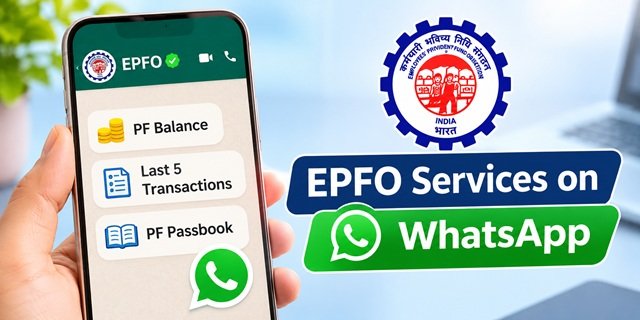
Checking your Provident Fund (PF) balance no longer needs to start with a website login. The Employees’ Provident Fund Organisation (EPFO) has introduced a WhatsApp service that allows EPF members to check their PF balance, view their last five transactions and access or download their passbook through a WhatsApp message.
Members can use the official EPFO WhatsApp number +91 8796441800. Simply save the number and send Hi from WhatsApp, or scan the QR code shared by EPFO to open the chat. The service also provides personalised guidance for completing requirements related to the Pradhan Mantri Viksit Bharat Rozgar Yojana (PMVBRY).
EPFO WhatsApp Service: Key Details
EPFO WhatsApp Service Overview | |
|---|---|
| Service Name | EPFO Services through WhatsApp |
| Organisation | Employees’ Provident Fund Organisation (EPFO) |
| Ministry | Ministry of Labour and Employment, Government of India |
| Launch Date | 1 November 2026 |
| Launched By | Dr. Mansukh Mandaviya, Union Minister for Labour and Employment |
| Occasion | 74th Foundation Day of EPFO |
| Official WhatsApp Number | +91 8796441800 |
| How to Start | Send Hi on WhatsApp or scan EPFO’s official QR code |
| Services Available | PF balance enquiry, latest five transactions, passbook information and PMVBRY-related guidance |
| Passbook Facility | Access and download passbook through the WhatsApp service, as announced by EPFO |
| Who Can Use It | EPF members with an account maintained by EPFO, subject to the service’s account verification requirements |
| Official Website | epfindia.gov.in |
Latest Update: EPFO Launches WhatsApp Services
EPFO launched its WhatsApp service on 1 November 2026, during its 74th Foundation Day celebration at the Dr. Ambedkar International Centre in New Delhi. Union Minister Dr. Mansukh Mandaviya inaugurated the service to make routine PF-related information easier for members to access.
Under this initiative, EPF subscribers can use WhatsApp to check their PF balance, view their latest five transactions and access passbook information. The service also provides personalised guidance to help members complete requirements related to the Pradhan Mantri Viksit Bharat Rozgar Yojana.
EPFO also announced the automatic settlement of eligible inoperative EPF accounts containing balances of up to ₹1,000. Around one lakh accounts involving approximately ₹5 crore are expected to benefit from this initiative. This is a separate facility from the WhatsApp service.
Read the official PIB announcement of EPFO’s 74th Foundation Day for details of both initiatives.
What Is the New EPFO WhatsApp Service?
The EPFO WhatsApp Service is a digital facility that allows EPF members to access selected provident fund information through WhatsApp. Instead of opening the EPFO website every time they need a basic account update, members can start a conversation with EPFO’s official WhatsApp account.
The service aims to make routine PF information more accessible through a familiar mobile application. Members can check their provident fund balance, see the latest five transactions and access their passbook information. EPFO has also announced a facility to download the passbook through this service.
Another important feature is personalised assistance for the Pradhan Mantri Viksit Bharat Rozgar Yojana. Members can use this guidance to understand and complete the requirements relevant to their cases. However, receiving guidance through WhatsApp does not automatically make a person eligible for the scheme or guarantee an incentive.
EPFO introduced this service as part of its efforts to improve digital service delivery and reduce the need for members to visit its offices for routine information.
Official EPFO WhatsApp Number: +91 8796441800
EPFO has announced +91 8796441800 as its WhatsApp service number. Members can save this number in their contacts and send a Hi message to start using the service.
EPFO has also shared a QR code to help members open the WhatsApp conversation directly. Both options lead members to the announced WhatsApp service.
Before sending any message or sharing account-related information, make sure that you are using the number published through EPFO’s official communication. Do not trust a similar-looking number circulated through an unknown message, website or social media account.
Official WhatsApp Number: +91 8796441800
How to Check PF Balance on WhatsApp
EPF members can use the new WhatsApp facility to check their provident fund balance without starting with the traditional passbook website. The service uses a simple message-based process.
Follow these steps to access the WhatsApp service:
- Open WhatsApp on your mobile phone.
- Save the official EPFO WhatsApp number +91 8796441800 in your contacts.
- Open the saved EPFO contact in WhatsApp.
- Send a message saying Hi.
- You can also scan the QR code shared through EPFO’s official communication to open the chat.
- Follow the instructions and service options displayed in the WhatsApp conversation.
- Select the PF balance enquiry option, where available, and complete the verification requested by the service.
- Check the PF balance information provided in the chat.
The exact menu and verification steps may depend on the options displayed by EPFO’s WhatsApp service. Follow the instructions shown in the official conversation rather than responding to messages from an unverified number.
How to View and Download EPF Passbook on WhatsApp
Your EPF passbook provides a record of contributions credited to your provident fund account. It helps you check the employee’s contribution, the employer’s contribution and other available account entries.
EPFO has included passbook information in its new WhatsApp service and has announced the facility to download the passbook through this channel. Members can start the conversation using the official number and follow the available passbook option.
- Open WhatsApp on your mobile phone.
- Send Hi to +91 8796441800.
- Follow the instructions displayed by EPFO.
- Choose the passbook-related option available in the chat.
- Complete any verification requested by the service.
- Follow the displayed instructions to access or download your passbook.
Members who need their complete passbook through the existing portal can also visit the EPFO Member Passbook Portal. They can log in using their UAN, password and the displayed captcha.
Important: A recently deposited PF contribution may not appear immediately in the passbook. The entries become visible after EPFO processes and reconciles the relevant information.
How to Check the Last Five PF Transactions on WhatsApp
EPFO’s new WhatsApp service also allows members to view their latest five PF transactions. This feature can help employees check recent activity in their accounts without opening the full passbook every time.
For example, an employee can use the latest transaction information to check whether a recent employer contribution has appeared in the PF account.
To view the latest five transactions:
- Save the official EPFO WhatsApp number +91 8796441800.
- Open WhatsApp and send Hi.
- Follow the instructions provided in the chat.
- Select the option for the latest five transactions.
- Complete any verification requested by EPFO.
- View the transaction information displayed in the conversation.
If a recent contribution does not appear, do not immediately assume that your employer has failed to deposit it. Allow time for the transaction to be processed and reflected in the account. You can also check the full passbook for a more detailed record.
EPFO WhatsApp Service for PM Viksit Bharat Rozgar Yojana
Along with PF-related information, EPFO’s WhatsApp service provides personalised guidance and assistance for completing requirements under the Pradhan Mantri Viksit Bharat Rozgar Yojana (PMVBRY).
PMVBRY is an employment-linked incentive initiative designed to encourage job creation and support eligible first-time employees and establishments creating additional employment. EPFO’s WhatsApp facility can help members understand the requirements and the steps relevant to their cases.
Members can start the WhatsApp conversation using +91 8796441800 and follow the available PMVBRY-related guidance option.
Keep in mind that WhatsApp assistance is not the same as approval of a scheme benefit. The applicant and establishment must meet the applicable eligibility conditions, registration requirements and other prescribed rules.
For detailed information about the scheme, its benefits, eligibility and registration process, read our dedicated guide on the Pradhan Mantri Viksit Bharat Rozgar Yojana.
Who Can Use the EPFO WhatsApp Service?
The service is intended for EPF subscribers who want to access their account information through WhatsApp. Members should use the mobile number and account details recognised by EPFO and complete any verification requested during the conversation.
Keep the following points in mind before using the service:
- You should have an EPF account maintained by EPFO.
- Keep your UAN and registered mobile number available if the service asks for account verification.
- Use the official WhatsApp number announced by EPFO.
- Make sure WhatsApp is working on your mobile phone and has an active internet connection.
- Follow the verification instructions displayed by the official service.
Members of exempted establishments may have a separate PF trust that maintains their provident fund records. Their passbook information may not be available through the regular EPFO Member Passbook facility. Such members should contact their employer or the exempted trust for account-specific information.
EPFO WhatsApp Service vs Member Passbook Portal
EPFO already provides online facilities for members to check their PF balance and view their contribution history. The new WhatsApp service adds another access channel, but the existing portals remain useful for members who need more detailed account services.
| Feature | EPFO WhatsApp Service | Member Passbook Portal |
|---|---|---|
| Access Method | WhatsApp message | Website login |
| PF Balance | Available | Available |
| Latest Five Transactions | Available | Full transaction history is available |
| Passbook Information | Available | Available |
| Passbook Download | Announced by EPFO through WhatsApp | Available through the portal |
| Login Method | Start the official WhatsApp conversation and follow its verification process | UAN, password and captcha |
| Best Suited For | Quick access to selected PF information | Detailed account records and full passbook access |
Other Ways to Check Your EPF Balance
The WhatsApp service is not the only way to check your PF balance. EPFO also provides other digital facilities for members who prefer SMS, missed calls, the UMANG app or the official passbook portal.
1. Check PF Balance Through the EPFO Passbook Portal
Members can view their complete PF contribution history through the official Member Passbook portal.
- Visit the EPFO Member Passbook Portal.
- Enter your UAN and password.
- Complete the captcha displayed on the screen.
- Sign in to your account.
- Select the relevant Member ID to view its passbook.
- Check your contributions and available balance, or download the passbook.
2. Check PF Balance Through a Missed Call
EPFO also provides a missed-call facility for members who want to receive their latest PF balance information without opening a website.
- Use the mobile number registered with your UAN.
- Give a missed call to 9966044425.
- Disconnect the call when it rings and wait for the response from EPFO.
This facility is subject to the applicable UAN and account requirements. Members can check the instructions displayed on the official EPFO passbook portal before using it.
3. Check PF Balance Through SMS
Members with an activated UAN can also request their latest PF contribution and balance through SMS.
- Open the messaging application on your mobile phone.
- Type EPFOHO UAN.
- Send the message to 7738299899 from your registered mobile number.
- For a language other than English, add the appropriate three-letter language code after UAN.
For example, members who want the response in Hindi can send:
EPFOHO UAN HIN
EPFO supports several regional languages through this SMS facility. The official instructions are available in the EPFO Short Code SMS Service document.
4. Check PF Balance Through the UMANG App
The UMANG app provides access to various government services, including selected EPFO facilities. Members can use the app to access supported provident fund services after following its login and verification process.
Visit the official EPFO section on UMANG to explore the available services.
What Is the Automatic Settlement of Inoperative EPF Accounts?
Along with the WhatsApp service, EPFO announced another important initiative on 1 November 2026: automatic settlement of eligible inoperative EPF accounts with balances of up to ₹1,000.
Many former employees have old PF accounts that no longer receive contributions. Some of these accounts contain small unclaimed balances that members have not withdrawn. The new initiative aims to transfer eligible dues to their rightful beneficiaries without requiring each member to file an individual claim.
Under the announced facility:
- The account must be an eligible inoperative EPF account.
- The account must have Aadhaar verification.
- The balance must be up to ₹1,000.
- EPFO will initiate settlement automatically after the prescribed identity and bank-account verification.
- Eligible members will not need to submit individual claims for this automatic settlement.
- Approximately one lakh accounts involving ₹5 crore are expected to benefit.
This initiative is separate from the WhatsApp service. Members should not assume that sending a WhatsApp message automatically triggers settlement of an old PF account. EPFO will determine which accounts qualify and process eligible settlements after verification.
For the official announcement, visit the PIB press release dated 1 November 2026.
Is EPFO WhatsApp Service Different from Regional Office WhatsApp Helplines?
Yes. EPFO’s new national WhatsApp service should not be confused with the WhatsApp helplines that its regional offices introduced earlier.
The regional office helplines were created to help members communicate with their respective EPFO offices about account-related questions and other issues. The new national service has a different purpose: it provides selected PF account information, including the balance, latest five transactions and passbook information.
Members who need help with a specific account problem should identify their concerned regional office through the official EPFO website and use the contact details published there.
Can You Withdraw PF Money Through WhatsApp?
EPFO’s launch announcement identifies PF balance enquiry, the latest five transactions, passbook information and PMVBRY-related guidance as the services available through WhatsApp. It does not announce PF withdrawal or online claim submission as part of this launch.
If you want to submit a PF withdrawal or advance claim, use the official EPFO Member e-Sewa Portal or another officially supported EPFO channel.
For other account-related services, use the relevant facility:
- PF withdrawal and online claims: EPFO Member e-Sewa Portal.
- Complete PF contribution history: EPFO Member Passbook Portal.
- KYC and profile-related services: EPFO Member e-Sewa Portal.
- PF complaints and grievances: EPFiGMS grievance portal.
What to Do If the EPFO WhatsApp Service Is Not Responding?
If you send Hi but do not receive a reply, first check whether you have opened the correct WhatsApp account. A temporary delay can also occur because of internet problems or high traffic.
Try these basic checks:
- Confirm that you have saved the correct number: +91 8796441800.
- Make sure your phone has an active internet connection.
- Check that WhatsApp can send and receive messages normally.
- Close and reopen WhatsApp, then try the conversation again.
- Scan the QR code shared through EPFO’s official communication if you cannot open the chat directly.
- Follow the verification instructions displayed in the conversation.
- If the service remains unavailable, use the EPFO passbook portal, SMS facility or missed-call service as an alternative.
If the problem concerns your PF account rather than WhatsApp access, contact EPFO through its official helpdesk or submit a grievance through the EPFiGMS portal.
Important Safety Instructions for EPFO WhatsApp Users
PF accounts contain personal and financial information. Members should take care when using WhatsApp or any other online facility to access their provident fund details.
- Use only the official WhatsApp number +91 8796441800 announced by EPFO.
- Verify the account and number through EPFO’s official website or verified communication.
- Never share your UAN password, ATM PIN, bank login password or other confidential credentials with anyone.
- Never disclose an OTP to a caller or another person claiming to be an EPFO employee.
- Do not open suspicious links received from unknown WhatsApp numbers.
- Do not pay anyone who promises faster PF withdrawal, passbook correction or account verification.
- Do not share Aadhaar, PAN or bank documents with an unverified contact.
EPFO’s official Member Passbook portal also warns members not to respond to calls requesting personal information or payment. Always use official EPFO channels for account-related work.
Important EPFO Links
- EPFO Official Website
- Official Announcement of EPFO WhatsApp Services
- EPFO Member Passbook Portal
- EPFO Member e-Sewa Portal
- EPFO Services on UMANG
- EPFO Grievance Management System (EPFiGMS)
- EPFO SMS Balance Enquiry Instructions
- EPFO Contact Details and Regional Offices
Contact Details for EPFO Assistance
Members who need help with their PF accounts can contact EPFO through the following official channels:
- Organisation: Employees’ Provident Fund Organisation (EPFO)
- Head Office: Bhavishya Nidhi Bhawan, 14, Bhikaiji Cama Place, New Delhi – 110066
- Helpdesk / Toll-Free Number: 1800 118 005
- WhatsApp Service: +91 8796441800
- Grievance Portal: epfigms.gov.in
- Official Website: epfindia.gov.in
For regional office contact numbers, visit the official EPFO Contact Us page.