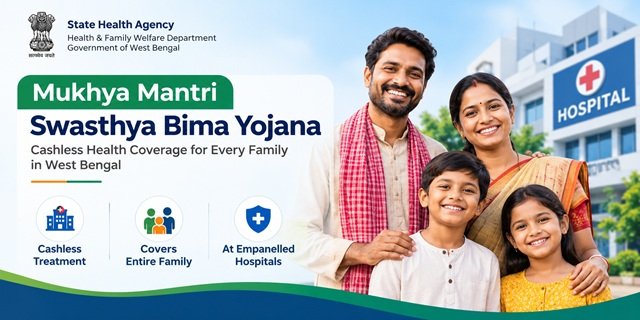
Looking to apply online for the Mukhya Mantri Swasthya Bima Yojana (MMSBY) in West Bengal? The official State Health Agency portal allows eligible applicants to check their details and access the MMSBY enrolment facility online. However, knowing which option to select, how to complete Aadhaar-based verification and what to do after submitting the form can be confusing for first-time applicants.
The official website, sha.wbhealth.gov.in, provides a dedicated PM-JAY/MMSBY Eligibility Check & MMSBY Enrollment page. Applicants can use the available Aadhaar Card or Swasthya Sathi URN option, follow the verification instructions and complete the details requested by the portal.
This guide explains how to use the MMSBY online enrolment portal, complete the available verification steps, submit the required information, find an empanelled hospital and get help if the application process does not move forward.
MMSBY Online Apply Portal: Official Website and Direct Link
The State Health Agency, under the Department of Health & Family Welfare, Government of West Bengal, manages the official portal for Mukhya Mantri Swasthya Bima Yojana (MMSBY) and Ayushman Bharat Pradhan Mantri Jan Arogya Yojana (AB PM-JAY).
To start your MMSBY enrolment, use the official links below. You do not need to search through unrelated websites to find the application page.
| Service | Official Link |
|---|---|
| MMSBY online application and eligibility check | Apply for MMSBY Online |
| State Health Agency homepage | Open Official Website |
| Hospital search | Find an Empanelled Hospital |
| MMSBY frequently asked questions | Read Official FAQ (PDF) |
| Contact and helpline details | Contact State Health Agency |
| Feedback and complaints | Open Feedback Page |
Who Can Apply Online for MMSBY?
The official State Health Agency homepage carries an announcement for existing Swasthya Sathi beneficiaries who want to apply for MMSBY. It states that beneficiaries who do not hold any of the following ration cards can apply online:
- AAY (Antyodaya Anna Yojana) ration card
- SPHH (Special Priority Household) ration card
- PHH (Priority Household) ration card
- RKSY-1 (Rashtriya Khadya Suraksha Yojana-I) ration card
If you already have a Swasthya Sathi card, check your household’s ration card category before beginning the process. If you hold one of the listed ration cards or are unsure about your eligibility, contact the State Health Agency for clarification.
For more information about the scheme’s coverage and other conditions, read our detailed guide to the West Bengal Mukhyamantri Swasthya Bima Yojana. This article focuses on using the portal rather than repeating the scheme’s general benefits.
How to Apply Online for MMSBY: Step-by-Step Process
Step 1: Open the Official MMSBY Portal
Visit the official State Health Agency website. On the homepage, look for the option labelled New Apply for MMSBY.
Click this option to open the dedicated eligibility-check and enrolment page. Alternatively, use the direct link below to reach the same page.
Click Here to Open MMSBY Eligibility Check and Enrollment
The page heading reads PM-JAY/MMSBY Eligibility Check & MMSBY Enrollment. Read the available options before entering your information.

Step 2: Choose the Available Identification Option
The enrolment page provides an Aadhaar-based option and a separate option for a Swasthya Sathi URN. Choose the option that applies to your records.
- Aadhaar Number: Use this field to begin the Aadhaar-based eligibility check.
- Swasthya Sathi URN: Use this option if you have the required URN associated with your Swasthya Sathi record.
Do not enter your Aadhaar number in the URN field or use a guessed number if you do not have a URN. Each option serves a different purpose, so check the label before proceeding.
Step 3: Check Your Details Using Aadhaar
If you choose the Aadhaar option, keep your Aadhaar card or number available. Follow these steps to begin the check:
- Open the MMSBY enrolment page.
- Find the field labelled Aadhaar Number.
- Enter your 12-digit Aadhaar number carefully.
- Read the message displayed below the field. The portal states that your Aadhaar number is sent securely to the server for the check.
- Click Check Status or the corresponding button displayed on your screen.
- Wait for the portal to process the request and read the result or next-step instructions.
Entering your Aadhaar number starts the relevant check; it does not automatically mean that your MMSBY enrolment has been approved. Follow the instructions displayed after the check to determine whether you can proceed.
Step 4: Use Your Swasthya Sathi URN, If Applicable
Applicants who have a Swasthya Sathi URN can use the separate URN-based option displayed on the enrolment page. The portal uses the URN to retrieve the relevant family information.
- Open the official MMSBY enrolment page.
- Locate the Swasthya Sathi URN field.
- Enter your 17-digit URN as requested by the portal.
- Click Submit URN.
- If the portal asks for an OTP, check the registered mobile number for the message and enter the OTP in the designated field.
- Once the portal displays the family details, check the information before moving to the next step.
An OTP is a one-time password used to verify an action or access. Enter it only on the official website when you have initiated the request. Never share it with an unknown caller or someone claiming to complete the application on your behalf.
Step 5: Complete the e-KYC Process
e-KYC stands for electronic Know Your Customer. It is a digital identity-verification process. For MMSBY, the State Health Agency states that Aadhaar authentication is mandatory during enrolment, hospital admission and discharge.
After starting the identification process, follow the verification instructions displayed by the portal. If it requests an OTP or another authentication step, complete that step using the method shown on the official screen.
Do not assume that entering your Aadhaar number alone completes e-KYC. Wait for the portal to confirm the current step or provide further instructions before moving forward.
If the verification does not proceed, check the information you entered and read the displayed error message. If you cannot resolve the problem, contact the State Health Agency at 18003455384 or 14555.
Step 6: Review and Complete the Family Details Form
After the relevant identification and verification steps, follow the instructions shown by the portal. The MMSBY enrolment form includes family information and other details needed to process the application.
The following table explains the main fields displayed in the form.
| Field | What You Need to Know |
|---|---|
| Address | Enter the address details requested for the applicant or household. |
| District | Select the district in which the household is located. |
| Block/ULB | Select the applicable block or Urban Local Body. |
| Gram Panchayat/Ward | Provide the relevant Gram Panchayat or ward details. |
| Family Head | Check the details of the person identified as the head of the household. |
| Family Members | Review the family-member details requested by the form. |
| URN | Check the Swasthya Sathi reference number where applicable. |
| Beneficiary Name | Ensure that the beneficiary’s name is correct. |
| Contact Number | Enter the contact number requested by the portal. |
| Receiving Authority Details | Complete the authority’s name, designation and contact details where these fields appear. |
Before submitting the form, check the spelling of names, address details, district, family information and contact number. Correct any errors you notice, and complete the fields marked as mandatory.
If the portal retrieves family information automatically, review the displayed details rather than assuming they are correct. Do not enter guessed information to bypass a required field.
Step 7: Submit the Enrollment Form
Once you have checked the information and completed the required fields, click Submit Enrollment if that option appears on your screen.
After submission:
- Read the message displayed by the portal.
- Check whether it confirms successful submission or asks you to complete another step.
- Save any application reference number or acknowledgement provided.
- Keep the reference details available if you need to contact the support team later.
If the portal displays an error instead of confirming submission, do not assume that your application has been received. Correct the issue if the instructions explain how to do so, or contact the official helpline for assistance.
What Happens After MMSBY Enrollment?
After submitting your information, follow the confirmation and verification instructions provided by the portal. Submission, verification and final enrolment approval are separate stages, so do not treat them as the same thing.
Once verification is complete, follow the instructions communicated by the authority regarding the beneficiary card. The official homepage states that MMSBY issues individual beneficiary cards free of cost.
If you receive a message explaining that your card is available, follow its instructions to access the card. If you do not receive an update or cannot understand the next step, contact the official helpline and explain when you applied and which stage you reached.
The available portal information does not establish a single approval timeline for every applicant. Therefore, rely on the confirmation provided for your application rather than assuming that verification or card issuance will finish within a fixed number of days.
How to Check MMSBY Enrollment Status
The official eligibility check and enrolment page provides an Aadhaar-based check. If you want to check your details again, open the page and follow the instructions displayed for the available identification option.
- Visit the official MMSBY eligibility-check page.
- Enter the requested identification details in the relevant field.
- Click the corresponding check or submission button.
- Read the result displayed by the portal and follow any further instructions.
If you have already submitted an enrolment form but cannot find a clear application-status option, do not assume that the eligibility check is the same as a complete application tracker. Contact the State Health Agency and provide any reference details you received during submission.
How to Find an MMSBY Empanelled Hospital
The State Health Agency website also provides a hospital-search facility. You can use it to find hospitals participating in the programme instead of relying on an old or unofficial list.
- Open the official hospital search page.
- Select the district or use the filters available on the page.
- Review the hospitals displayed in the search results.
- Confirm the hospital’s current empanelment and the availability of the required treatment before visiting.
The homepage states that cashless treatment is available at empanelled hospitals under the relevant scheme rules. Check the treatment coverage and admission requirements with the hospital or official helpline before relying on a particular service being covered.
Where to Check MMSBY Treatment Packages
If you want to know which procedures and treatments fall under the health benefit package, visit the official State Health Agency homepage and look for the published benefits-package resources.
The homepage provides links to the AB PM-JAY HBP 2022 procedure, implant and procedure-stratification files. You can use these documents to review the available package information. However, confirm the applicable coverage for your case with the hospital or State Health Agency before making treatment decisions.
MMSBY Portal and Ayushman Bharat PM-JAY Portal: Which One Should You Use?
The State Health Agency homepage provides access to both MMSBY and AB PM-JAY services. However, the two schemes are not the same, and their enrolment routes can differ.
| Purpose | Website |
|---|---|
| MMSBY eligibility check and enrolment | West Bengal MMSBY Enrollment Page |
| AB PM-JAY beneficiary services | National Health Authority Beneficiary Portal |
| AB PM-JAY online grievance | Online Grievance Portal |
If your query concerns the central health coverage programme, read our separate guide to Ayushman Bharat Pradhan Mantri Jan Arogya Yojana (AB PM-JAY). If you want to apply for MMSBY, use the dedicated West Bengal enrolment page linked above.
Common MMSBY Online Application and e-KYC Problems
Aadhaar Number Is Not Accepted
Check that you entered the correct 12-digit Aadhaar number and used the official portal. If the page still rejects the details, read the error message and contact the State Health Agency for help.
Swasthya Sathi URN Is Not Accepted
Check your URN against your existing Swasthya Sathi record and make sure you entered it in the correct field. If the problem continues, call the official helpline.
OTP Does Not Arrive
If the portal requests an OTP, check the registered mobile number and follow any resend instructions displayed on the page. If the OTP still does not arrive, contact the support team rather than sharing personal information with an unknown person.
Family Details Are Incorrect
Review the details displayed by the portal before submitting the form. If the information does not match your records and the page does not provide a correction option, contact the State Health Agency for guidance.
The Enrollment Form Does Not Submit
Check whether any mandatory field is incomplete or whether the portal has highlighted an error. Correct the information where possible. If the form still does not submit, note the message displayed on the screen and seek official assistance.
You Are Unsure Whether You Can Apply
Read the official announcement concerning Swasthya Sathi beneficiaries and ration card categories. If your situation is not clearly covered, confirm your eligibility with the State Health Agency before proceeding.
You Have Submitted the Form but Have No Update
Keep any reference or acknowledgement details provided during submission. Contact the official helpline if you cannot determine the current status or the next step from the portal.
Official MMSBY Portal Contact Details
If you face a problem while checking eligibility, completing e-KYC or submitting the enrolment form, contact the State Health Agency through its official support channels.
| Contact Detail | Information |
|---|---|
| Department | State Health Agency, Department of Health & Family Welfare, Government of West Bengal |
| Helpline Numbers | 18003455384 / 14555 |
| Availability | 24 hours a day, 7 days a week, as stated on the official contact page |
| shawb.pmjay@gmail.com | |
| Office Address | Swasthya Bhavan, GN-29, Sector V, Salt Lake City, Kolkata – 700 091 |
| Official Contact Page | Contact State Health Agency |
When calling, explain whether you are facing an Aadhaar check, URN, OTP, e-KYC, form-submission or enrolment-status problem. If you have an application reference, keep it available. Share Aadhaar or other personal details only through the official process when required.
Conclusion
The official West Bengal State Health Agency portal provides a dedicated facility for MMSBY eligibility checks and online enrolment. Applicants can begin by opening the correct page, choosing the Aadhaar or Swasthya Sathi URN option applicable to them, completing the requested verification and carefully reviewing the family details before submission.
Check your eligibility before applying, follow the instructions displayed on the official website and keep any acknowledgement or reference details provided. If you get stuck during Aadhaar verification, e-KYC, form submission or a later stage, contact the State Health Agency through its official helpline or email rather than relying on unverified assistance.
Frequently Asked Questions (FAQs)
Ans. You can visit the official MMSBY Eligibility Check and Enrollment Portal to check your details and access the online enrolment facility.
Ans. Open the official State Health Agency website and click on “New Apply for MMSBY”. You can also open the direct enrolment page using the link provided above.
Ans. According to the official portal announcement, Swasthya Sathi beneficiaries who do not hold AAY, SPHH, PHH or RKSY-1 ration cards can apply online for MMSBY. Check your ration card category before proceeding.
Ans. Yes. The official portal provides an Aadhaar-based eligibility check, and the State Health Agency states that Aadhaar authentication is mandatory during enrolment, hospital admission and discharge.
Ans. Open the official MMSBY enrolment page, enter your 12-digit Aadhaar number in the relevant field and click the displayed check button. Follow the instructions shown after the check.
Ans. Yes. The enrolment page provides a separate Swasthya Sathi URN option. Enter your 17-digit URN in the relevant field and follow the instructions displayed on the portal.
Ans. Start the process on the official enrolment page and follow the identity-verification instructions displayed on your screen. If the portal requests an OTP or another verification step, complete it using the method provided.
Ans. Check whether your registered mobile number is accessible and follow any resend instructions shown on the portal. If the problem continues, contact the State Health Agency helpline at 18003455384 or 14555.
Ans. Depending on the form displayed, you may need to provide address, district, block/ULB, Gram Panchayat/ward, family head, family member, beneficiary and contact details. Complete the required fields and check the information before submitting the form.
Ans. Read the confirmation message and follow any further instructions displayed by the portal. Save any acknowledgement or reference number provided. Contact the State Health Agency if you cannot determine the next step.
Ans. Follow the instructions communicated by the authority after verification if your card becomes available. The official homepage states that individual beneficiary cards are issued free of cost. If you do not receive an update, contact the official helpline.
Ans. Yes. According to the State Health Agency homepage, individual MMSBY beneficiary cards are issued free of cost.
Ans. Visit the official eligibility-check and enrolment page and follow the available instructions. If you have already submitted an application but cannot find its status, contact the State Health Agency with any reference details provided to you.
Ans. Visit the official hospital search page, select the relevant district or use the available filters, and check the hospitals listed. Confirm the required treatment and admission conditions before visiting.
Ans. Check your internet connection, reopen the official portal and read any error message displayed. If you still cannot proceed, contact the State Health Agency at 18003455384 or 14555.
Ans. No. MMSBY is a West Bengal state health scheme, whereas Ayushman Bharat PM-JAY is a central government health coverage programme. The State Health Agency website provides information and services related to both schemes.
Ans. Call the official helpline at 18003455384 or 14555, available 24 hours a day, seven days a week, according to the official contact page. You can also email shawb.pmjay@gmail.com.

Tabassum is a government schemes researcher and writer with 5 years of experience tracking Central and State welfare scheme programmes across India. She has covered 500+ schemes spanning agriculture, women welfare, education, and housing, helping lakhs of beneficiaries understand their entitlements in simple language.